Live Preview
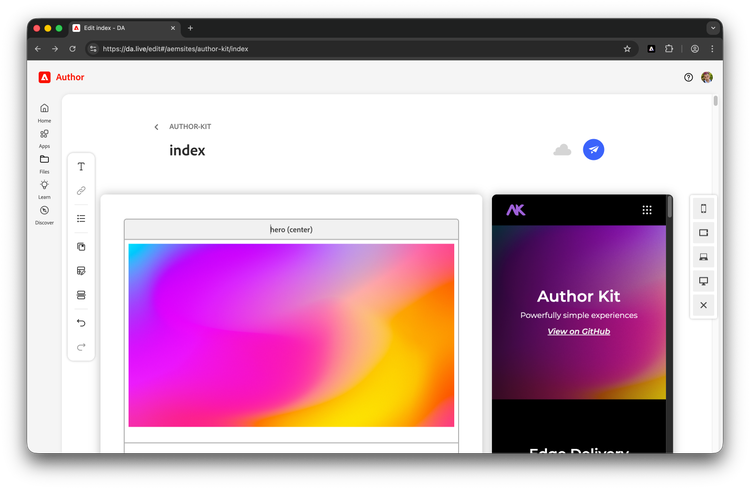
DA provides a live preview allowing you to see your changes in real-time as you edit your document.
Requirements
- A small script must be placed at the bottom of your
scripts.jsfile. Please ask your developers to add this script. As a convenience, we have added it below. - Any CORs or off-origin requests need to have
https://main--{SITE}--{ORG}.preview.da.liveas an allowed origin.
Limitations
In some limited scenarios (~2%), live preview may not be identical to how your page will look on aem.page or aem.live. This can be a result of project specific nuances. When in doubt, request a full preview of your page using the paper plane icon.
Troubleshooting
If you are reading this to determine why live preview is not working, please check the following:
- Has live preview been setup in your codebase? You can ask a developer to check.
- Is there something on the rendered page that could be breaking live preview? Again, you can ask a developer to check this for you.
Enable Live Preview
Place this self-invoking (IIFE) at the bottom of your scripts.js file.
- scripts.js (JavaScript)
(async function loadDa() {
  if (!new URL(window.location.href).searchParams.get('dapreview')) return;
  import('https://da.live/scripts/dapreview.js').then(({ default: daPreview }) => daPreview(loadPage));
}());