Media Library
Introduction
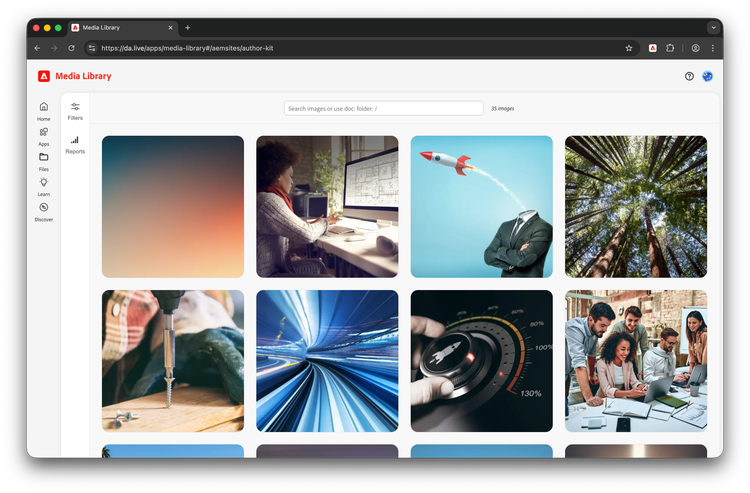
Media Library is a unified view into your site's images, fragments, videos, SVGs, PDFs, and more. Whether they are embedded into documents, uploaded into DA directly, or externally referenced from another DAM, you can quickly filter, see usage, get details, and make informed decisions about your content.
Getting access
Open the media library landing page: https://da.live/apps/media-library
You will be presented with your most recent DA projects or you can paste an existing AEM URL.
Features
- Browse your project's images, fragments, videos, SVGs, and PDFs.
- Search using document names, asset names, path, or even
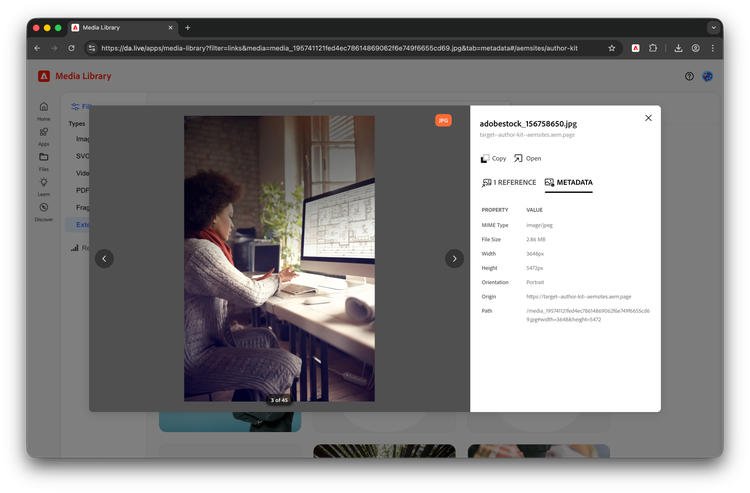
- Get detailed information like alt text, usage information, and basic EXIF data.
- Pin folders for quick access at a later date.
- Run reports based on usage or any existing search criteria
First run
Your content will need to be indexed when you first load Media Library for a site. This is a history-based index that will surface most recently used content first. Note: if your site is large, this may take some time.
Tips & tricks
- To view media referenced in a document, use
doc: - To see all the media in a folder use
folder: - Simply type "/" to see all content.
- If working with a lot of projects, you can pin a folder to prevent it from dropping out of your recent projects list.
Media Library Plugin
Media Library can be used as a DA Plugin which will enable authors to find and directly insert the media into the document. Please note that Plugin does not perform the action of checking for latest media uploaded or changed , for which app must be kept open in a tab.
| title | path | icon | experience |
| Media Library | https://da.live/nx/public/plugins/media-library/media-library.html | https://da.live/blocks/edit/img/Smock_Images_18_N.svg |
|

Known issues
- Any content created before February of 2026 will need a "bulk index" to populate Media Library. Please reach out to AEM engineering in your shared Slack, Teams, or Discord to perform this task.
Troubleshooting
- If indexing seems stalled or broken, ensure you are able to write to
/{org}/{site}/.da/media-library - If a site or folder does not appear, check that you have access to it in DA and in the correct IMS Org
- If usage or latest details look incomplete, ensure you have at least an
authorrole in Edge Delivery to ensure you can read the media audit log which is where Media Library gets its data.