Author Kit
Introduction
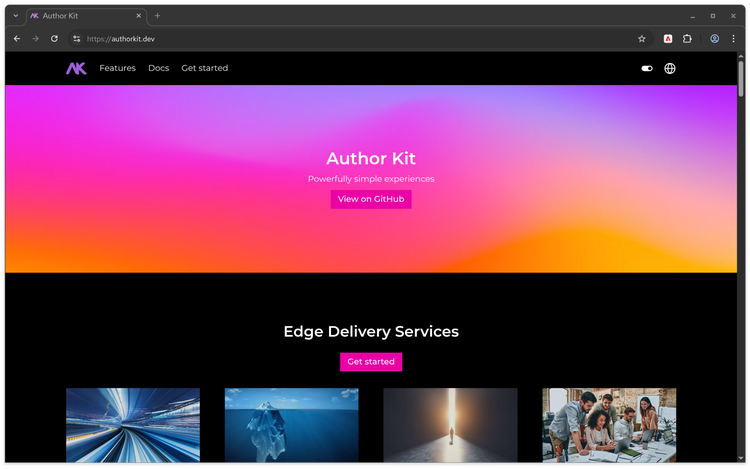
Author Kit is a GitHub repository template for getting started quickly with Document Authoring and Edge Delivery Services, with best practices and early-access features built in.
It comes with patterns helpful for larger or more complex projects as well as early-access features such as Focal Point, Content Scheduling, Quick Edit, and more.
For a more detailed breakdown of all features, please see the README on GitHub.
Ecosystem
While the main repository of Author Kit will provide what we think are the absolute essentials, there's a growing ecosystem to support and showcase other use cases. Notably:
- AK Media - A PR, blog, and podcast supporting expression of Author Kit.
- AK Docs - A multi-audience documentation platform.
- AK Gov - Supporting structured content, external design systems, forms, and more.
- AK Commerce - Leverages the latest from Adobe Commerce
- AK Signals - Provides a full martech implementation with A/B testing and more.
Getting Started
There are two ways to leverage Author Kit:
- Treat Author Kit as a reference implementation for your existing AEM Boilerplate project.
- Use the Author Kit GitHub repository template directly.
Reference implementation
Many concepts within Author Kit provide provide proven ways to help your projects scale. This could be anything from handling localized content to supporting a diverse array of content patterns, and much more.
It's not always feasible to change an existing project structure to match Author Kit, and you're encouraged to pull the concepts you need into your existing project as you need them.
Use Author Kit directly
If you're starting a net-new project and find the features of Author Kit meet your needs, you're welcome to use the GitHub repository template directly. From a day to day perspective, building an Author Kit project is identical to an AEM Boilerplate project. This includes block building, vibe coding, and much more.
Step 1: Create a Repository from the Template
Navigate to the Author Kit GitHub repository and click Use this template to create a new repository in your GitHub organization.
Step 2: Install the AEM GitHub App
Install the AEM Code Sync GitHub App on your new repository. This enables automatic syncing between your GitHub repository and Edge Delivery Services.
Step 3: Add project to DA.live
Visit DA's start page and paste the link to your GitHub repository. Follow the steps to create sample content for Author Kit if you would like starter content.
Support
For questions or issues with Author Kit, open an issue on the Author Kit GitHub repository.